


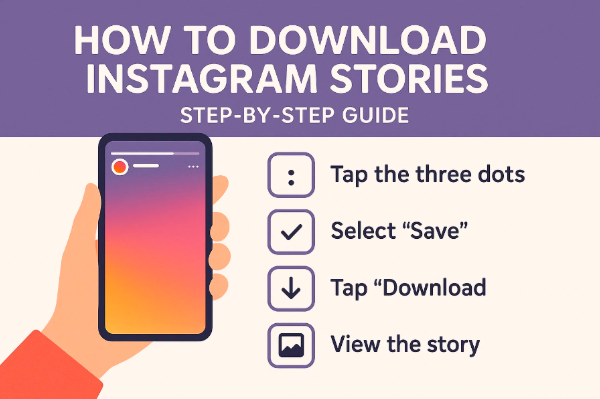
Instagram Stories are a dynamic way to share fleeting moments with followers — whether it’s a spontaneous selfie, a product reveal, or a behind-the-scenes glimpse. But what happens when you want to save a Story before it disappears after 24 hours? Maybe it’s your favorite influencer’s tip, a friend’s vacation moment, or simply a visual idea you want to keep. Whatever the reason, let’s break down how to download Instagram Stories with a clear, updated step-by-step guide.
1. Does Instagram Allow You to Download Instagram Stories Directly?
Let’s get one thing straight — Instagram doesn’t allow users to download other people’s Stories directly from within the app. If you’re looking to save someone else’s Story, tapping the three dots won’t help. However, you can save your own Stories easily by archiving them or downloading them to your device’s gallery.
If your goal is to download a story from Instagram that belongs to another account, you’ll need to use external tools. These include browser-based downloaders, mobile applications, desktop software, and screen recording utilities. Let’s explore each of these in detail.
2. Methods to Download Instagram Stories
2.1 Using Online Downloaders
Online tools offer a quick, no-installation-needed solution to download Instagram stories straight from your browser.
Popular Options
- InstaSave
- StoriesIG
- Inflact
How to Use (Example with StoriesIG):
- Go to the StoriesIG website.
- Enter the username of the Instagram account whose Story you want to save.
- Browse available Stories and click “Download” on the one you want.
Pros
- No need to install apps or software.
- Works on all devices with a browser.
- Quick and easy interface.
Cons
- Limited by public accounts only (private profiles won’t work).
- Ad-heavy or pop-ups on some platforms.
- Risk of site downtime or inaccuracy.
2.2 Using Desktop Software
If you prefer a more robust, secure solution, desktop applications provide greater stability and functionality.
Best Choices
- CleverGet Video Downloader
- 4K Stogram
How to Use (Step Example with CleverGet Video Downloader):
- Download and install CleverGet Video Downloader on your PC or Mac.
- Launch the application and log into Instagram within its browser tab.
- Locate the Story you want to download.
- Click the download button that appears, and select your preferred format and quality.
- Save the file to your chosen location.
Pros
- Supports HD quality downloads.
- Allows downloading from multiple sources, not just Instagram.
- Ideal for batch downloads or archiving.
Cons
- Requires installation and setup.
- Some features may be locked behind a paid version.
- Slight learning curve for beginners.
2.3 Using Mobile Apps
There’s an app for everything — and yes, that includes downloading Stories.
For Android:
- StorySaver
- FastSave
For iOS:
- Reposter for Instagram
- Story Reposter
How to Use (Example with StorySaver on Android):
- Download StorySaver from the Play Store.
- Sign in with your Instagram credentials.
- Browse the accounts you follow to see available Stories.
- Tap the Story and select “Save” or “Download.”
Pros
- Convenient, mobile-first interface.
- Allows reposting in addition to downloading.
- Some apps let you queue multiple downloads.
Cons
- Requires login, which can raise privacy concerns.
- May not work with private accounts.
- Frequent ads or in-app purchases.
2.4 Using Screen Recording
When download tools aren’t viable, screen recording offers a practical alternative. It’s particularly useful for private accounts or Stories that tools can’t access.
How to Use:
On iOS:
- Swipe down to access the Control Center.
- Tap the “Screen Record” button.
- Open Instagram and play the Story.
- Stop recording when done and trim the video as needed.
On Android:
- Use the built-in screen recorder (available on most modern Androids), or
- Download an app like AZ Screen Recorder.
On PC/Mac:
- Windows: Use the Game Bar (Windows + G).
- macOS: Open QuickTime Player → File → New Screen Recording.
- Or use CleverGet Recorder for more advanced control.
Pros
- Works with all accounts, even private.
- No third-party tools needed in some cases.
- Good for capturing Stories with sound and full visuals.
Cons
- Lower quality than direct downloads.
- Requires editing/trimming afterward.
- Can capture unwanted on-screen content or notifications.
3. Conclusion
Instagram Stories might vanish in 24 hours, but your need to keep them doesn’t have to. Whether you’re archiving memories, saving inspiration, or keeping content for personal use, there are plenty of ways to download Instagram story content safely and efficiently.
Online tools like StoriesIG are great for one-time saves. If you’re someone who frequently needs to download stories from Instagram, investing in a tool like CleverGet Video Downloader or CleverGet Recorder offers more advanced options. Mobile users have handy apps at their fingertips, while screen recording remains the ultimate fallback for all scenarios.
Just remember — respect privacy and copyright. Always ensure you have the right or permission to download or share someone else’s content.
Quick Summary of Tools Mentioned:
- Online Downloaders: Quick and easy, browser-based.
- CleverGet Video Downloader: Powerful desktop solution for high-quality downloads.
- CleverGet Recorder: Perfect for screen captures with flexibility.
- Mobile Apps: Convenient for Android and iOS.
- Screen Recording: Universally reliable when all else fails.
With these tools in your digital toolkit, you’re now fully equipped to navigate the world of ephemeral content. Happy saving!